Tech Science Press Shares Integrity Insights on AI-Enabled Paper Mills at Charleston Asia Conference
TSP Establishes Strategic Cooperation with Chinese Medical Association Publishing House (CMAPH)
Prof. Lin Lu Appointed Editor-in-Chief of Energy Engineering
Two More Tech Science Press Journals Now Indexed in Chemical Abstracts Service (CAS) Databases

Section 1 Recommended search method
In the home page of the Web of Science, the Basic Search looks as follows:
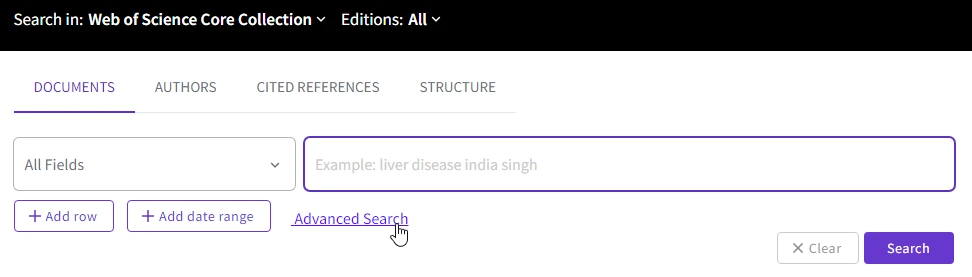
Click on “Advanced Search” to bring up the “Query Preview” box to type in the search patterns, e.g., type “so=(cmes*) and py=(2019 or 2020)”:
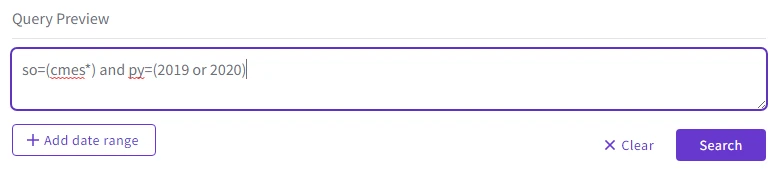
Click on “Search” to see the results.
To search certain topic, e.g., deep learning, in the CMES in the Web of Science database, a most efficient method is to specify the source (journal title) as “cmes*”, i.e., all in lowercase followed by the wildcard “*” (star), as shown in the search example below on 2020.02.11:
ts=(deep learning) and so=(cmes*)
|
Section 2 Correct search methods
The correct and simplest search method is to declare the source (journal title) as “CMES*”. The wildcard star “*” at the end of “CMES” is important for the search to be successful:
ts=(deep learning) and so=(CMES*) and py=(2019)
ts=(deep learning) and so=(CMES*)

The journal title can be in lowercase, e.g.,
ts=(deep learning) and so=(cmes*)
|
It is possible to cite the source with the full journal name, with or without hyphen, but that is long and mistyping is easy:
ts=(deep learning) and so=(cmes computer modeling in engineering & sciences)
ts=(deep learning) and so=(cmes-computer modeling in engineering & sciences)

Section 3 Incorrect search methods
ts=(deep learning) and so=(computer modeling)
ts=(deep learning) and so=(CMES-computer modeling)
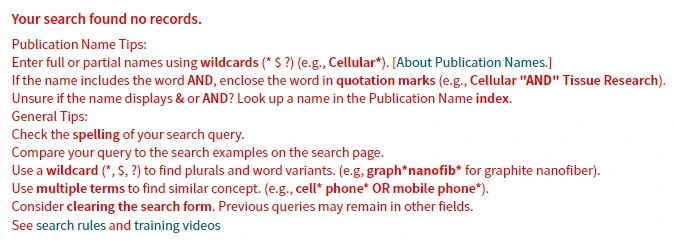

The following search also did not work:
ts=(deep learning) and so=(*computer modeling in*)
ts=(deep learning) and so=(computer modeling in*)

 Login
Login Register

